Read the account summary
Start with total value, available cash, and the current account mode.
Holdings, cash, performance, and records together.See the account value, available cash, positions, profit or loss, orders, transactions, and statements in one flow.
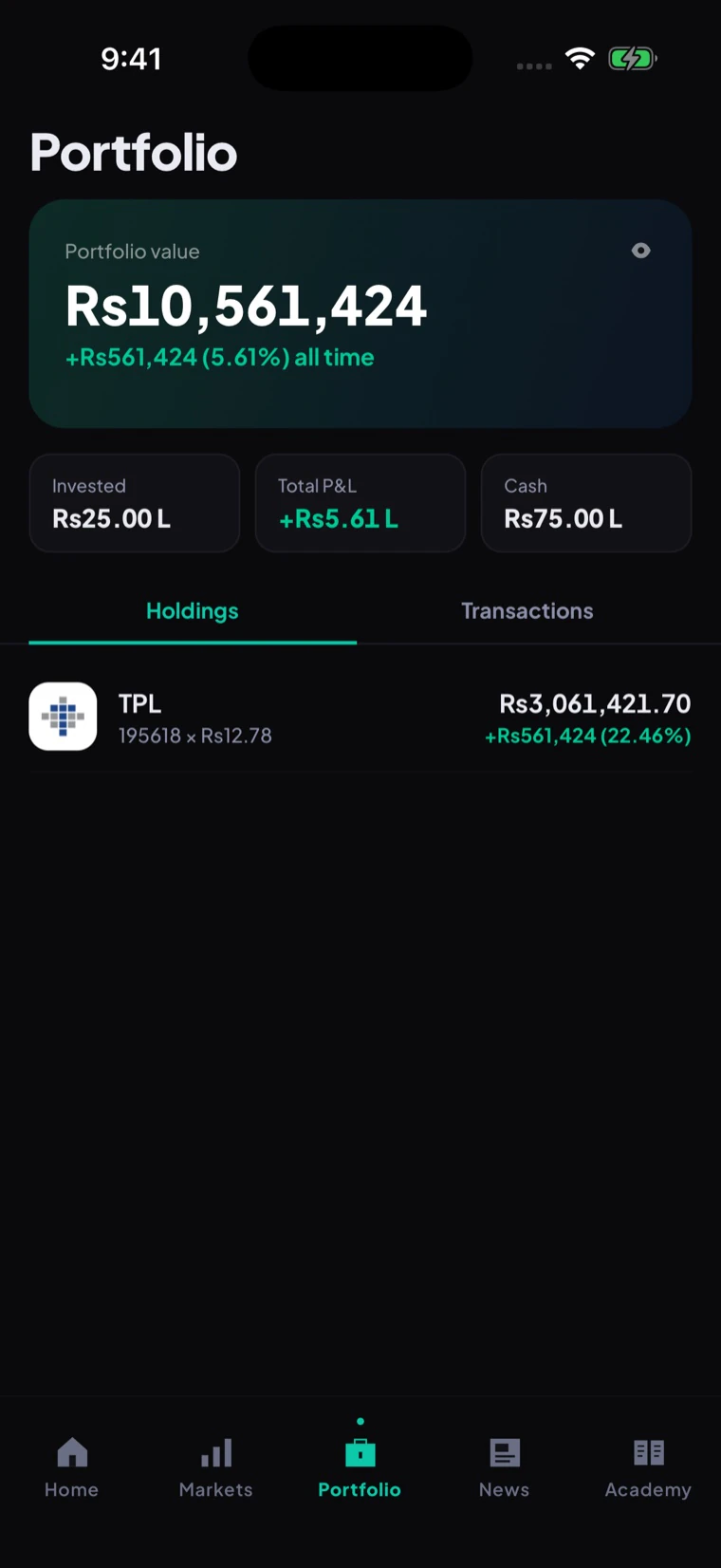
The portfolio is a record first and a performance view second. It links every holding and cash movement back to the order, transaction, or document that created it.
Follow the steps from opening the feature to checking the result.
Start with total value, available cash, and the current account mode.
Review the position, price context, related orders, and company page.
Open the transaction or order reference behind a change in cash or shares.
Use the related contract note or statement when live documents are available.
These are the main tasks available across the connected screens.
See cash plus the current value of positions, with the account mode and valuation time clear.
Separate available cash from cash committed to orders or moving through the current settlement cycle.
Open quantity, average cost, current value, and unrealised profit or loss for each position.
Keep the selected period visible so a one-day move is not confused with the full holding result.
Trace deposits, withdrawals, trade cash movements, charges, credits, and adjustments by reference.
Reach monthly statements, contract notes, and tax documents when the evidence-backed document service is live.
The simulated portfolio is available in beta. Live cash, holdings, settlement, and statements require production account rails.
These checks keep beta, live service, data, and account actions clearly separated.
Practice and Live remain visually distinct so simulated performance is not mistaken for real wealth.
Available, committed, and settling cash stay separate when the live clearing feed supports them.
A live portfolio value must tie back to positions, cash, orders, transactions, and clearing or custody evidence.
The valuation changes with the market price. Unrealised profit or loss is not cash until shares are sold and settlement completes.
No. The simulated ledger remains separate from live holdings and records.
Open the related order, transaction, or statement and contact support with the reference. Do not send passwords or one-time codes.
Join for the product update and future account-opening invitation. Live brokerage remains closed until approval and production readiness.